I Made a Lip Tint Ad Video With Just One Product Photo — No Camera, No Studio, No Agency
How I turned a single lip tint product photo into a full glossy K-beauty commercial with AI, in about 5 minutes on my laptop. The exact model, settings, and multi-shot prompt I used — copy-paste ready.
Okay, I need to show you something, because I genuinely didn't believe it would work.
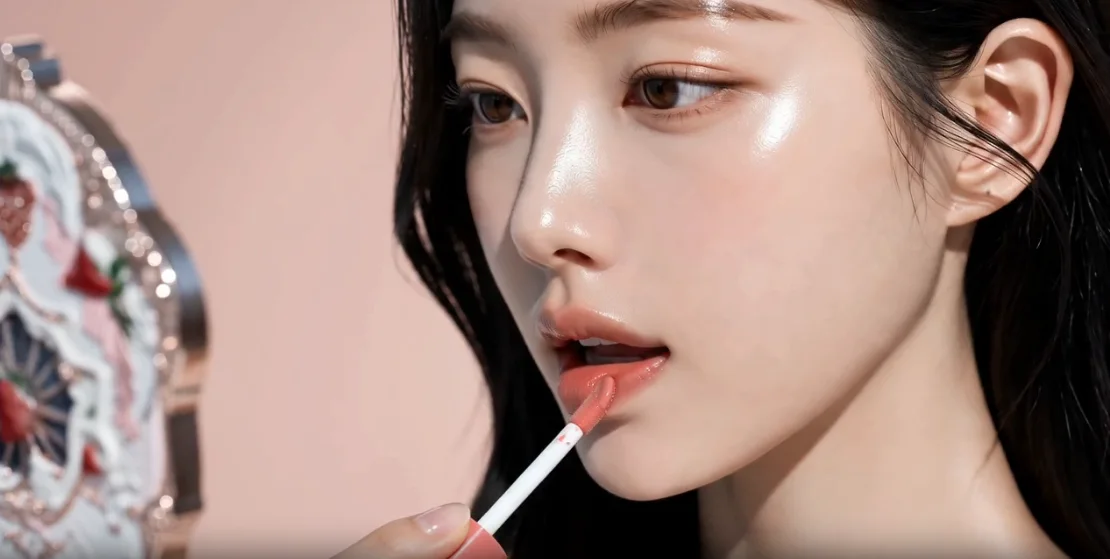
This is a full coral-pink lip tint commercial — macro swatch shots, a model applying it, glossy K-beauty beauty shots, a clean hero product shot at the end. The kind of ad a brand would normally pay a studio, a model, a videographer, and an editor to shoot over half a day.
I made it from one product photo. On my laptop. In about five minutes.
Below I'll break down exactly how it was done, step by step, so you can make one for your own product. Let's get into it.
First — what is Gendia?
Quick context so the rest makes sense. Gendia is an all-in-one AI content platform. Instead of paying for five different subscriptions, you get 20+ top AI models — Kling, Seedance, Veo, Flux, and more — under one login, for images, video, music, and even 3D.
For this ad I only needed one model inside Gendia: Seedance 2.0, in its image-to-video mode. I gave it two reference images — the model and the lip tint product — plus a detailed multi-shot prompt, and it generated the entire commercial. That's the whole "crew": one platform, one model, two photos, and a good prompt.
Why bother doing this with AI?
Because a real cosmetics shoot is expensive and slow. Studio rental, a model, a videographer, lighting, and then editing on top — and if you want to change one shot afterward, you reshoot the whole thing.
With this AI workflow, the cost is a handful of Gendia credits and about ten minutes of your time. Want to try a different color or mood? Change one line of the prompt and regenerate. That flexibility is the whole reason I tried it.
If you've ever searched "how to make a product ad video without a shoot" or "AI cosmetics ad," this is the answer.
What I started with
Just two flat images: a lip tint product photo (the tube + a color swatch) and one model portrait. No retouching. No set. Everything you see in the final video is built from these.

Step-by-step: how the lip tint ad was made
Step 1 — Prep the product & model photo
I uploaded the plain product shot and a model portrait into Gendia. Clean, well-lit images matter a lot here — blurry inputs give warped, stiff motion. Sharp inputs = smooth results.
Step 2 — Pick the video model (Seedance 2.0)
Inside Gendia I chose Seedance 2.0 for the image-to-video step and added my two reference images — the model as @image1 and the lip tint as @image2. Seedance is strong at keeping both the product and the model's face/identity consistent with the uploads while adding natural, believable motion — exactly what you want for an ad, where the label, shape, and face can't warp.
Step 3 — Write a multi-shot prompt (this is the secret)
Here's the real trick. Instead of one vague sentence, I wrote the prompt like a shot list, the way a real director plans an ad — starting with a global "all shots" style block, then seven numbered shots, each with its own camera move, lighting, and even sound direction. This is the exact prompt I used:
All shots: Cinematic 16:9, premium K-beauty lip tint commercial, soft nude-pink aesthetic, clean luxurious mood, natural elegant glossy look, photoreal, smooth graceful motion, with synchronized ambient sound and soft music. Use the two uploaded reference images: keep the model's face and identity identical to the uploaded model image, and keep the lip tint product (coral-pink, no logo) identical to the uploaded product image. Glossy juicy tint texture, dewy skin. No text, no watermark, no warping, no flicker, anatomically correct hands. No dialogue.

Shot 1: Extreme macro of the coral-pink lip tint being swatched on the back of a hand, the doe-foot applicator gliding to leave a glossy juicy stripe, soft pink background, light catching the wet shine. Sound: soft smooth glide, gentle chime, delicate music.

Shot 2: Close-up of the same swatch on the hand, finger lightly blending the tint, showing the creamy juicy texture and dewy finish. Sound: soft blend sound, airy ambience.

Shot 3: Beauty close-up of the model looking into a mirror, gently applying the coral-pink tint to her lips with the applicator in elegant slow motion, glossy lips catching the light. Sound: soft application sound, warm music rising.

Shot 4: Macro of the model's lips after applying, pressing them together softly, juicy glossy nude-pink finish, fresh and dewy. Sound: soft lip press, gentle sparkle.

Shot 5: The model holds the tint product gracefully near her face, posing prettily with a soft confident expression, glossy lips and dewy skin, elegant K-beauty mood. Sound: warm music, soft ambience.

Shot 6: The model gives a subtle charming pose looking at the camera, holding the product, radiant and lovely. Sound: music swelling softly.

Shot 7: Final hero shot of the coral-pink lip tint product standing on a soft nude-pink background, glossy swatch behind it, premium and clean, space for logo. Sound: soft music resolve, gentle sparkle, ambience fade.

Overall audio: soft, elegant, premium K-beauty soundtrack with delicate ambient textures; no dialogue, no voiceover.
Notice how every shot describes camera + lighting + motion + sound, not just "lip tint." That specificity is what turns a random AI clip into something that reads like a real commercial.
Step 4 — Settings
My settings on Seedance 2.0: 720p, 15 seconds, and 16:9 widescreen for that cinematic, movie-screen look — ready to drop straight onto YouTube or a website hero. Seven shots packed into 15 seconds, with the model handling all the motion.
Step 5 — Generate
Hit generate, waited a couple of minutes, and Gendia produced the shots. Here's the macro swatch shot — that glossy, wet-looking stripe came straight from the "Shot 1" direction:

And the close-up of a finger lightly blending the tint, from "Shot 2":

The model shot, gently applying the lip tint to her lips, exactly as prompted in "Shot 3":
And Shot 4, a macro of the model's lips after applying, pressing them together softly:

The model holding the tint near her face, as described in Shot 5:

...while giving a subtle charming pose looking at the camera, as mentioned in Shot 6:

The big finale, perfectly framed just as described in the last shot, Shot 7:

The result
From two flat photos to a finished, glossy lip tint commercial — with sound, ready to post to Instagram Reels, YouTube Shorts, or TikTok. Total time: about five minutes. No agency. No outsourcing.
Tips for better results
If you want to try this on your own product, here's what actually made the difference:
- Use a sharp, well-lit product photo. This is the single biggest factor. Fuzzy inputs = warped motion.
- Write the prompt as a shot list, not one sentence. Give each shot a camera move, lighting, and mood.
- Keep product motion subtle. Big camera swings distort labels and text — gentle push-ins look premium.
- Describe the sound too. It guides the pacing and makes the final cut feel intentional.
- Shoot in 16:9 if you want a cinematic, horizontal view for YouTube or a website. If you want it for Reels / Shorts / TikTok, go 9:16 vertical and keep it short.
Try it yourself (free)
You can make your own product ad exactly like this on Gendia — you get free credits to start, no credit card needed. Upload a photo, pick a model like Seedance or Kling, paste in a multi-shot prompt, and you've got a real ad video in minutes.
Seriously, if you sell anything with a product photo — cosmetics, food, gadgets, candles — this changes what a "small budget" can produce. Give it a shot and see what you make.
Make your own product ad on Gendia — free
Related reading
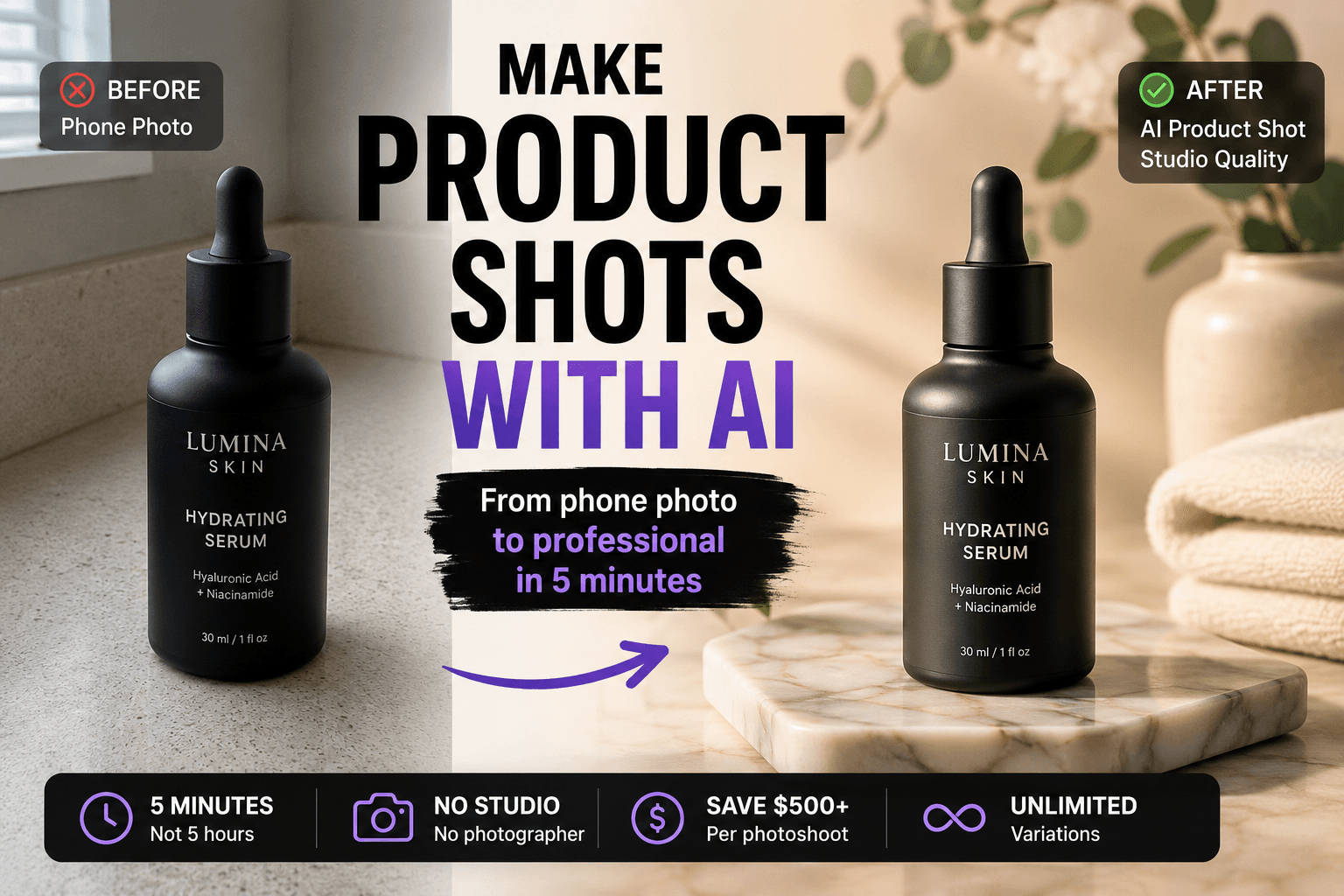
- How to Make Product Shots with AI: The Complete 2026 Guide, the same idea applied to still product photography
- The 10 Best AI Image Generation Models in 2026, how to pick the right model for each task
- How Small and Medium Businesses Use Gendia: 10 Real Use Cases, more ways brands cut creative costs with AI
- #AICosmeticsAd
- #LipTintAdVideo
- #ProductAdVideoWithoutAShoot
- #AIAdVideo
- #Seedance2.0
- #ImageToVideo
- #K-beautyAd
- #AIVideoGenerator
- #Gendia
- #AI광고
- #립틴트광고
- #화장품광고
- #제품영상
- #무료AI
- #뷰티영상
- #AI마케팅