How Small and Medium Businesses Use Gendia: 10 Real Use Cases
How SMBs save $95,000+ a year on creative work with AI. 10 real use cases across restaurants, Etsy, beauty, fashion, fitness, real estate, agencies, and more, with the exact Gendia model to use for each task.
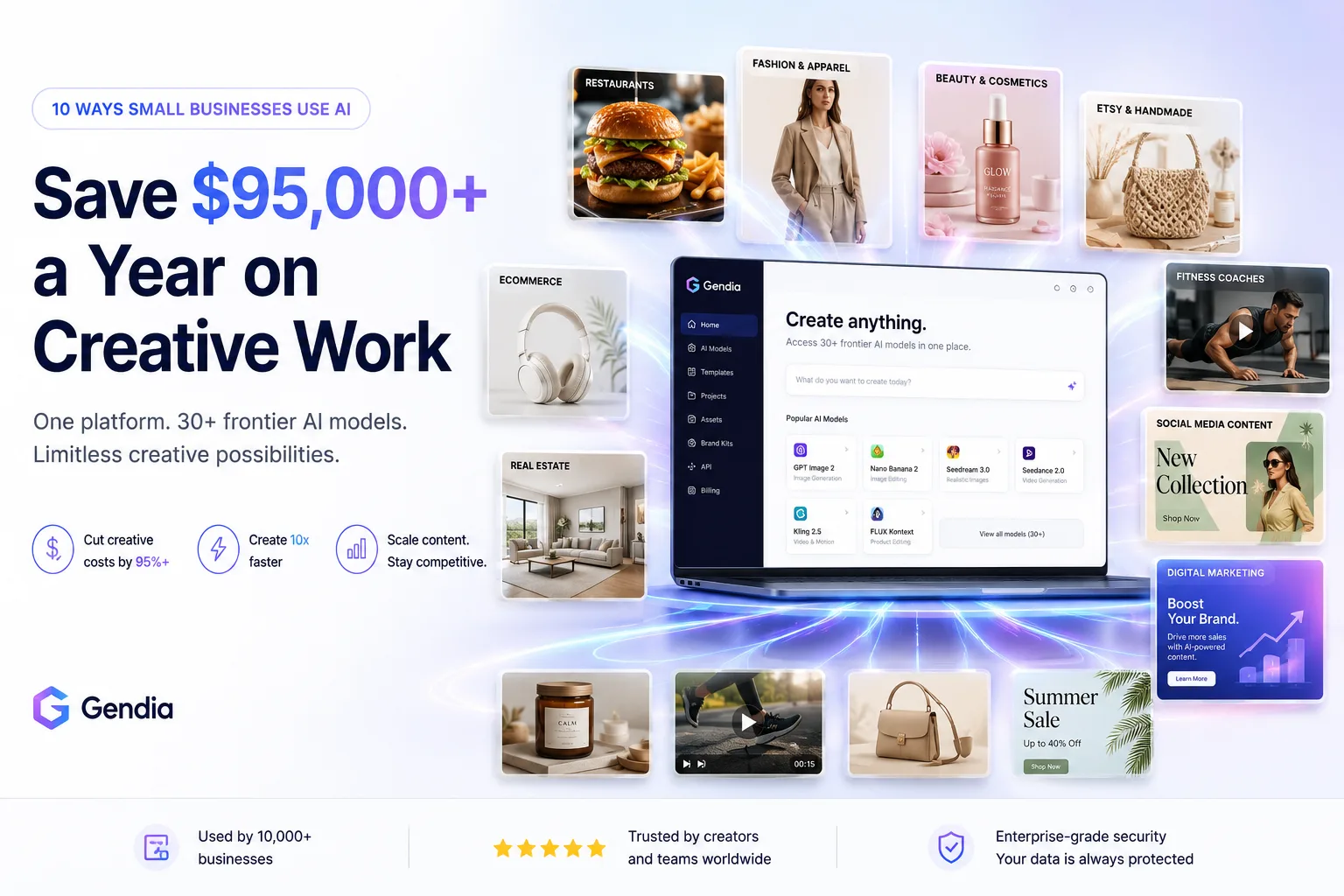
A typical small business in 2026 spends $2,000–8,000 per month on creative work, product photography, ad creative, social content, video production, website imagery. For most SMBs, that's the second-largest expense after rent or staff.
The irony: 90% of that creative work is now possible with AI. A restaurant doesn't need a $400 menu photoshoot when AI generates better menu images from a phone photo in 5 minutes. An Etsy seller doesn't need a $200/hour product photographer when AI handles 50 SKUs in an afternoon. A fitness coach doesn't need a $1,500 video shoot when AI generates demonstration clips on demand.
The challenge for SMBs isn't whether to use AI, it's which AI for what task. This is where Gendia fits. One platform. 30+ frontier AI models. Use the right one for each task without subscribing to 8 different tools.
Here are 10 real ways small and medium businesses are using Gendia in 2026.
Try Gendia free for your business
The shortcut
If you're skimming, here's what SMBs do with Gendia:
1. Replace expensive creative agencies and freelancers for daily content needs.
2. Scale visual output across product catalogs, social media, and ads.
3. Stay competitive with larger brands that have full creative teams.
One subscription. Multiple use cases. Cost reduction of 95%+ on standard creative work.
Why AI matters more for SMBs than for enterprises
Big brands have full creative teams, dedicated agencies, and budgets that absorb $2,000 product shoots without flinching. Small businesses don't.
The cost gap between "enterprise-quality content" and "what an SMB can afford" used to define competitive disadvantage. A small restaurant couldn't compete visually with a chain. A solo Etsy seller couldn't match the photography of a major retailer. A local fitness studio couldn't produce video content like a national brand.
AI closes that gap. The same models powering enterprise marketing, GPT Image 2 for branded imagery, Seedance 2.0 for cinematic video, FLUX Kontext for product editing, Veo 3 for premium video, are accessible on Gendia for any business with $0–30 per month to spend.
The SMBs winning in 2026 aren't competing on budget. They're competing on which AI models they pick for which tasks.
10 industries using Gendia right now
1. Restaurants and food brands
The problem: Traditional restaurant photography costs $400–1,500 per shoot. Menu updates require new shoots. Delivery app listings demand consistent, appetizing photos across 30+ items. Most independent restaurants can't afford this at scale.
The Gendia workflow:
- Take a phone photo of the actual dish
- Generate clean menu hero shots with Nano Banana 2
- Generate lifestyle restaurant scenes with Seedream
- Generate packaging-accurate shots for delivery apps with GPT Image 2
Real outcome: A 30-item menu can be photographed in one afternoon for the cost of a Gendia subscription, instead of $1,500 per shoot.
Best for: Independent restaurants, food trucks, ghost kitchens, food delivery brands, food bloggers.
2. Etsy and handmade sellers
The problem: Etsy listings need 10 photos each, primary hero, lifestyle scenes, scale references, detail shots, maker's hands, packaging shots. Most handmade sellers can't afford photography for every SKU, leaving listings with 2-3 photos and lower conversion rates.
The Gendia workflow:
- Photograph each handmade item in window daylight
- Generate the complete 10-photo Etsy listing using Seedream for lifestyle and Nano Banana 2 for clean hero shots
- Add AI 3D models (TripoSR, Hunyuan3D) for premium jewelry listings that benefit from 360° rotation
Real outcome: Solo Etsy sellers produce complete 10-photo listings in 30-45 minutes per product, matching the visual quality of major handmade retailers.
Best for: Etsy sellers, handmade brands, vintage resellers, craft businesses, artisan goods.
3. Beauty and cosmetics brands (indie)
The problem: Beauty product photography is the most expensive category, $800–1,500 per product line plus retouching. Indie beauty brands launching 5+ products per quarter can't sustain this cost. Label accuracy is critical and traditional retouching adds time and budget.
The Gendia workflow:
- Photograph each product on a clean surface in daylight
- Use GPT Image 2 specifically for shots where the label must read perfectly (99% character accuracy)
- Generate on-skin swatches with Seedream for realistic skin texture
- Generate ingredient flat lays for "clean beauty" positioning
Real outcome: Indie beauty brands launch products with photography quality previously only accessible to brands with $50K+ launch budgets.
Best for: Indie beauty brands, skincare startups, cosmetics dropshippers, natural beauty brands.
4. Fashion and clothing brands (DTC and dropshipping)
The problem: Fashion photography demands flat lays, ghost mannequin shots, on-model studio shots, and lifestyle/editorial campaigns. A traditional collection shoot costs $2,000–10,000. Multi-SKU dropshipping brands can't sustain this for every product launch.
The Gendia workflow:
- Photograph each garment flat or on a hanger
- Generate ghost mannequin shots with Nano Banana 2
- Generate on-model studio shots with Seedream (best human anatomy)
- Generate lifestyle/editorial scenes for brand campaigns
- Use Kling 2.5 for animated fashion content for social
Real outcome: Fashion brands run full visual campaigns at $0–30/month instead of $5,000+ per shoot, with the ability to A/B test multiple looks per garment.
Best for: DTC fashion brands, Shopify clothing stores, dropshippers, designers, boutique brands.
5. Fitness coaches and personal trainers
The problem: Fitness content marketing requires constant new visual content, exercise demonstrations, transformation imagery, motivational graphics, social media reels. Most coaches can't afford a videographer for weekly content. Stock photos look generic and don't build personal brand.
The Gendia workflow:
- Generate custom exercise demonstration images with GPT Image 2
- Generate workout video clips with Seedance 2.0 for social
- Create motivational graphics combining text and imagery
- Build a consistent visual identity across Instagram, TikTok, and YouTube without expensive shoots
Real outcome: Solo fitness coaches produce content at the visual quality of major fitness brands, building personal authority faster.
Best for: Personal trainers, online fitness coaches, gym owners, yoga instructors, nutritionists.
6. Real estate agents
The problem: Real estate listings live or die by photography. Professional listing photos cost $200–500 per property. Virtual staging adds another $50–100 per room. Drone shots add $200+. Agents listing 10+ properties per month spend thousands on photography alone.
The Gendia workflow:
- Photograph the property normally
- Use FLUX Kontext to virtually stage empty rooms with furniture
- Generate sunset/golden hour exterior shots from any time-of-day source photo
- Remove clutter, personal items, or seasonal elements from photos
- Generate AR/3D walk-through models with Hunyuan3D for premium listings
Real outcome: Real estate agents present listings at premium photography quality without paying premium fees, accelerating time-on-market for listings.
Best for: Real estate agents, brokerages, property managers, vacation rental owners, virtual staging companies.
7. Marketing agencies and freelancers
The problem: Agencies serving multiple SMB clients need to produce diverse creative work daily, Instagram ads, Facebook campaigns, TikTok content, blog imagery, website graphics. Hiring photographers/videographers for every client is unsustainable. Stock photo libraries look generic.
The Gendia workflow:
- Generate custom imagery for each client's brand voice
- Use GPT Image 2 for ad creative requiring readable text
- Use Seedance 2.0 for video ads
- Use FLUX Kontext to repurpose existing client assets into new contexts
- Maintain visual consistency across multi-client campaigns
Real outcome: Solo marketers and small agencies serve 10+ clients with creative output that previously required full creative teams.
Best for: Marketing agencies, social media managers, freelance designers, content marketers, brand consultants.
8. Course creators and online coaches
The problem: Online education needs course thumbnails, lesson imagery, marketing graphics, social proof visuals, and YouTube thumbnails. Course creators are subject experts, not designers, and outsourcing every visual asset is expensive at $50–200 per graphic.
The Gendia workflow:
- Generate course thumbnails and lesson imagery on demand
- Use GPT Image 2 for branded course graphics with readable text
- Generate YouTube thumbnails optimized for click-through
- Create infographic-style imagery for lesson content
- Produce social media imagery promoting courses
Real outcome: Solo course creators maintain a polished visual brand across YouTube, Instagram, and course platforms without hiring designers.
Best for: Online coaches, course creators, YouTubers, knowledge entrepreneurs, mentors.
9. Local service businesses
The problem: Local businesses, dental practices, law firms, accounting services, home services, need professional visual content for websites, Google Business listings, and social media. Most rely on generic stock photos that don't differentiate them locally. Custom photography is expensive for non-product businesses.
The Gendia workflow:
- Generate professional team imagery without expensive headshot sessions (using existing photos as source for FLUX Kontext improvements)
- Create custom imagery for service descriptions
- Generate before/after style imagery for service businesses
- Produce branded social media content
Real outcome: Local businesses present at the visual quality of larger competitors, improving Google reviews, click-through rates, and inbound leads.
Best for: Dental practices, law firms, accounting services, contractors, salons, fitness studios, local retailers.
10. Photographers and videographers (yes, really)
The problem: Counterintuitive but true: professional photographers and videographers increasingly use AI to expand their service offerings without expanding their cost base. Clients want more deliverables faster, but real shoots have limits.
The Gendia workflow:
- Use FLUX Kontext to extend client photoshoots with AI variations (different backgrounds, different lighting from the same source)
- Generate "missed shots" using AI when the perfect moment wasn't captured
- Offer AI-enhanced packages at premium pricing
- Restore old client photos as add-on services
Real outcome: Photographers/videographers offer 3-5x more deliverables per shoot, increasing per-client revenue without increasing shoot time.
Best for: Professional photographers, wedding photographers, event videographers, content studios, creative agencies.
Korean SMB use cases (specific to Asian market)
Gendia is built in Daegu, South Korea, and several Korean SMB segments use Gendia heavily:
Korean restaurants (식당 / 카페)
Generate menu photography for delivery apps (배달의민족, 쿠팡이츠, 요기요) without expensive photo shoots. Korean menu items photograph well with GPT Image 2 specifically because of its Korean character accuracy on packaging text.
Korean online shopping malls (온라인 쇼핑몰)
Smartstore (스마트스토어) and Coupang sellers use Gendia for product photography that meets marketplace standards. Multi-language product descriptions render accurately with GPT Image 2.
K-beauty indie brands
Korean beauty brands launching internationally need visual content that works across Korean, English, Japanese, and Chinese markets. Gendia hosts models (GPT Image 2, Qwen) optimized for multilingual visual content.
Korean content creators (콘텐츠 크리에이터)
YouTube and Instagram creators in Korea use Gendia for thumbnail generation, B-roll content, and visual assets for daily content production.
The financial reality for SMBs
Let's be specific about cost. Here's what a typical small business spends on creative work without AI vs with Gendia:
| Creative work | Traditional cost | Gendia equivalent | Savings |
|---|---|---|---|
| Product photoshoot (10 items) | $400–1,500 | $0–30/month | 95–98% |
| Lifestyle brand campaign | $2,000–10,000 | $0–30/month | 99%+ |
| Social media content (monthly) | $500–2,000 | $0–30/month | 90–97% |
| Ad creative (10 variants) | $300–1,500 | $0–30/month | 95–98% |
| Video content (short-form) | $500–3,000 | $0–30/month | 95–99% |
| 3D product models for AR | $200–800 per item | $0–30/month | 95–99% |
| Photo editing and retouching | $50–200 per image | $0–30/month | 95–99% |
Total typical SMB creative spend: $2,000–8,000/month. With Gendia: $0–30/month. Savings: $1,970–7,970/month, or $23,640–95,640/year.
For most SMBs, this is the difference between marketing being a cost center and marketing being scalable.
What Gendia doesn't replace
Being honest about limitations:
- Strategy and brand direction, AI executes, doesn't strategize
- Personal relationship-driven content, actual portraits of real customers, real founders
- Live event documentation, weddings, conferences, real-time photography
- Complex layered design work, full brand identity systems
- Video editing for long-form content, AI generates clips, doesn't replace editing suites for full productions
AI handles the bulk of repeatable creative work. Humans handle strategy, relationships, and complex creative direction. The combination works better than either alone.
Frequently asked questions
What's the cheapest way for a small business to start with Gendia?
Gendia offers a free tier that includes generation across multiple models. Most SMBs can test the platform, generate initial content, and decide whether to upgrade based on actual usage. Paid tiers start at affordable monthly rates designed for small business budgets.
Can I use AI-generated content for paid advertising on Meta, Google, and TikTok?
Yes. All major ad platforms permit AI-generated creative as long as it accurately represents your business. Many top-performing ad creatives in 2026 are AI-generated. Some platforms (Meta) added optional AI disclosure tags, check current platform policies.
How long does it take to learn Gendia?
Most SMB owners produce usable content within their first 30-60 minutes on the platform. The learning curve is writing prompts, not learning software. If you can describe what you want in plain English, you can use Gendia.
Do AI-generated images need to be disclosed?
Disclosure requirements vary by platform and use case. Etsy requires disclosure when AI is the primary creator of a product. Meta added optional AI labels. Most marketplaces don't require disclosure for promotional imagery if it represents real products. Always check current platform guidelines.
Can Gendia replace my agency or freelancer?
For high-volume repeatable creative work, product photos, social content, ad variants, basic editing, yes, increasingly. For strategy, brand direction, and complex creative campaigns, agencies still add value. Many SMBs use AI for daily content and reserve agencies for major launches.
What if I'm not creative or technical?
The biggest myth about AI tools is that they require creative or technical skill. Gendia is designed for business owners, not designers. The prompts in our blogs are copy-paste ready. The interface is built for non-technical users. Most successful Gendia users are restaurant owners, Etsy sellers, and service providers, not AI experts.
Is AI content lower quality than traditional photography?
For everyday business use, product listings, social media, ads, AI content matches or exceeds traditional quality in 2026. For premium brand campaigns and hero imagery, hybrid approaches (real photography + AI editing) produce the best results. The quality gap that existed in 2023 is essentially gone.
How do other small businesses in my industry use AI?
Likely more than you realize. Survey data suggests 60–70% of SMBs across ecommerce, hospitality, real estate, and personal services use AI for some creative work in 2026. The early adopters have a visible competitive advantage in marketing reach and content output.
The shortcut, revisited
Three principles for SMBs using Gendia:
1. Match the model to the task. GPT Image 2 for text. Nano Banana 2 for clean catalog. Seedream for lifestyle.
2. Replace, don't supplement. AI replaces 90% of routine creative work, not 30%.
3. Start with the highest-cost task in your business. That's where AI saves you the most.
Ten industries. One platform. The competitive advantage isn't size anymore, it's which AI tools you pick.
The SMBs winning in 2026 aren't outspending their bigger competitors. They're using AI to produce content at parity (or better) for 5% of the cost. That's not a small advantage, that's how categories get disrupted.
Start using Gendia for your business today
Related reading
- How to Make Product Shots with AI: The Complete 2026 Guide, the pillar guide for ecommerce product photography
- The 10 Best AI Image Generation Models in 2026, the model selection guide for picking the right tool
- Free AI Photo Tools 2026: The Complete Guide to Gendia's Browser Suite, the editing companion for everyday SMB cleanup work
- How to Make Food Photography with AI, a restaurant-specific deep dive
About the author
Farah is the Content Creator at Gendia, the multimodal AI platform hosting 30+ frontier AI models including GPT Image 2, Nano Banana 2, Seedream, FLUX Kontext, Seedance 2.0, Veo 3, Kling 2.5, and dedicated editing and 3D models. She writes about how creators, brands, and small businesses use AI to scale visual production in the post-Sora era.
- #AIForSmallBusiness
- #AIForSMB
- #GendiaUseCases
- #AIProductPhotography
- #AIContentCreation
- #SmallBusinessMarketingAI
- #GPTImage2
- #NanoBanana2
- #Seedream
- #FLUXKontext
- #AICreativeCostSavings
- #AIForRestaurants
- #AIForEtsySellers
- #AIForRealEstate