GPT Image 2 on Gendia: Everything You Need to Know (2026 Guide)
OpenAI's GPT Image 2 just rewrote what AI image generators can do. Near-perfect text rendering, 4K output, reasoning before pixels. Full guide with prompts.
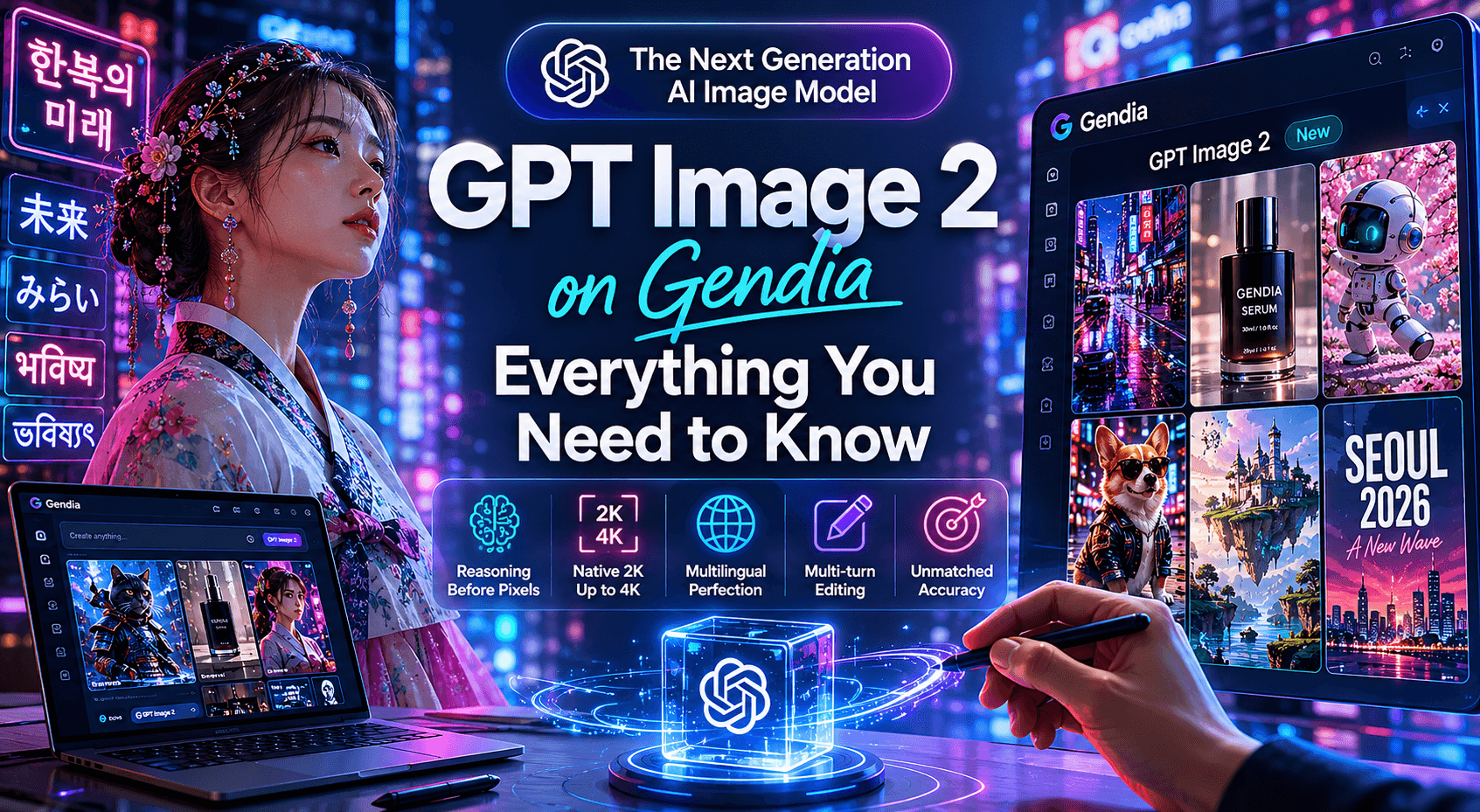
On April 21, 2026, OpenAI released GPT Image 2 — the most accurate AI image generator on the market.
It is now live on Gendia.
Within twelve hours of launch, GPT Image 2 hit #1 on every Image Arena leaderboard — by 242 ELO points, the widest margin the Arena has ever recorded. That gap is not a tweak. It is a generational leap in AI image generation.
You can run it right now.
What changed in AI image generation
Every previous AI image generator — across every lab — had the same weakness. Text inside images came out garbled. Letters slid sideways. Words turned into nonsense. Logos became blur.
GPT Image 2 fixed it.
Roughly 99% character-level accuracy on Latin, Korean, Japanese, Chinese, Hindi, and Bengali scripts. The first AI image model that can render a Korean menu, an English headline, and a logo in the same composition without breaking.
That single change unlocks AI image generation use cases that were impossible last month.
Here is what else is new in GPT Image 2:
1. Reasoning before pixels
GPT Image 2 plans the image before it draws. Layout, composition, text placement — all decided in a "thinking" pass before generation begins.
Translation: complex AI image prompts that previous models botched now come out coherent on the first try.
2. Native 2K with optional 4K
Default output is 2048×2048. Push it to 4096×4096 when you need print quality.
No upscaler. No second pass. The model generates AI images at full resolution.
3. Multilingual AI image generation that actually works
Korean text. Japanese kanji. Chinese characters. All rendered cleanly inside the image — not as a separate text overlay.
For Korean creators searching "AI 이미지 생성기" or "한국어 AI 이미지," this is the breakthrough. Posters with Hangul. Webtoon panels with dialog. Product packaging in Korean. All possible. All accurate.
4. Multi-turn editing with memory
Generate an image. Refine it. Refine it again. The model remembers context across edits and preserves what you didn't ask it to change.
No more "regenerate and pray."
GPT Image 2 prompts — five samples that show the strengths
Below are five GPT Image 2 prompts written for the model's strengths. Run them on Gendia, see the output, then remix.
Sample 1: AI poster with sharp Korean typography
Editorial poster of a young Korean woman wearing a modernized hanbok, standing in a neon-lit Seoul alley at night, dramatic low-angle shot. Large bold Korean text at the top reads "한복의 미래" in elegant white serif. Smaller text at the bottom reads "Seoul 2026 — A New Wave." Cinematic lighting, magazine-cover composition, photorealistic, 35mm lens, shallow depth of field.
What to watch for: every Korean character should be sharp and correctly composed. No melted letters.

Sample 2: AI product mockup with readable label
Studio product photograph of a minimalist matte black skincare bottle on a marble surface, soft side lighting, premium beauty editorial style. The label reads "GENDIA SERUM" in clean sans-serif white text, with smaller text below reading "30ml / 1.0 fl oz." Background is a soft gradient of warm beige to cream. Hyper-detailed, photorealistic, 50mm lens.
What to watch for: the label text should be perfectly legible — including the "30ml" line that smaller AI image models always botch.

Sample 3: Multi-panel AI infographic
Clean modern infographic poster titled "Five AI Models on One Platform" with five numbered sections, each containing a short description and an icon. Section 1: "Image generation." Section 2: "Video generation." Section 3: "Music creation." Section 4: "3D modeling." Section 5: "Story writing." White background, vibrant accent colors in teal and coral, professional design layout, sharp typography.
What to watch for: every section title and description should be readable. No phantom text. No overlapping sections.

Sample 4: Cinematic AI portrait
Cinematic close-up portrait of a confident woman in her early thirties wearing a beige trench coat and dark designer sunglasses, slight smirk, blurred Seoul cityscape at golden hour behind her, anamorphic lens flares, magazine cover composition, photorealistic, 35mm lens, sharp focus on face, shallow depth of field.
What to watch for: the realism. Skin texture, fabric weave, hair strands. This is where GPT Image 2 separates from older AI image generators.

Sample 5: Storyboard with consistent characters
Eight-panel storyboard for a short film: a black tuxedo cat in samurai armor explores a neon-lit Seoul alley. Panel 1: cat steps out of shadow. Panel 2: cat draws a tiny katana. Panel 3: cat faces a robot mouse. Panel 4: action pose. Panel 5: cat strikes. Panel 6: robot mouse falls. Panel 7: cat sheathes katana. Panel 8: cat walks away into rain. Consistent character design across all panels. Cyberpunk anime style.
What to watch for: the cat should look like the same cat in all eight panels. This new "character consistency" capability for AI images did not exist before April 21, 2026.

Generate your first GPT Image 2 prompt on Gendia
How GPT Image 2 fits into Gendia's multi-model lineup
Gendia hosts every major frontier AI image model in one workspace. GPT Image 2 joins the lineup alongside Nano Banana 2, Seedream, FLUX Kontext, Imagen, Ideogram, Qwen, and Grok.
Each AI image model has a different personality.
GPT Image 2 is the typography and reasoning specialist. Use it when:
- You need text inside the image — posters, infographics, product labels, signage.
- You want a Korean (or Japanese, or Chinese) layout that actually reads.
- The composition is complex and previous AI image models lost details.
- You need print-resolution output.
Use Nano Banana 2 when you want speed and clean realism. Use Seedream for stylized fashion editorial. Use FLUX Kontext for in-image editing. Use GPT Image 2 when text and reasoning matter most.
That is the Gendia thesis: one platform, every frontier AI model, no lock-in. With OpenAI shutting down DALL-E 2 and DALL-E 3 on May 12, 2026, multi-model AI platforms have become the only reliable way to keep your creative pipeline future-proof.

What is still rough in GPT Image 2
Two honest caveats.
Speed. Reasoning mode adds latency. Expect 20–40 seconds per image when thinking is enabled, versus 5–10 in instant mode. For most creative work, the wait is worth it. For batch AI image pipelines, run instant mode.
Transparent backgrounds. GPT Image 2 currently fills empty areas with white instead of alpha when called through certain pathways. If you need transparent backgrounds for compositing, generate on a clean color and key it out — or use FLUX Kontext for background removal.
Neither is a dealbreaker. Both will improve.
Frequently asked questions
What is GPT Image 2?
GPT Image 2 is OpenAI's next-generation AI image generator, released April 21, 2026. It replaces DALL-E 3 and GPT Image 1 with near-perfect text rendering, 4K resolution, and built-in reasoning. It is the first AI image model that can render Korean, Japanese, Chinese, Hindi, and Bengali text accurately inside images.
How is GPT Image 2 different from Nano Banana 2?
GPT Image 2 leads on text rendering and reasoning. Nano Banana 2 leads on speed and clean photorealism. The strongest workflow runs both — and that is what Gendia enables in a single platform.
Can I use GPT Image 2 for Korean (Hangul) content?
Yes. GPT Image 2 renders Hangul with ~99% character accuracy. Korean posters, packaging mockups, Hangul signage, and webtoon panels all work natively for the first time in any AI image generator.
What happened to DALL-E and GPT Image 1?
OpenAI is shutting down DALL-E 2 and DALL-E 3 on May 12, 2026. GPT Image 2 replaces both. GPT Image 1 (the older model) is being phased out as well. Gendia users get instant access to GPT Image 2 with no migration needed.
Where can I use GPT Image 2 right now?
GPT Image 2 is available on Gendia today. No waitlist. No separate subscription required.
Get started with GPT Image 2
GPT Image 2 is live on Gendia today. No waitlist. No separate subscription.
Pick GPT Image 2 from the model selector. Drop a prompt. Generate. Refine.
If your AI image prompt has text in it, this is the model. If your prompt has Korean, Japanese, or Chinese in it, this is the model. If your previous AI image attempts came out almost-right-but-not-quite, this is the model.
The leap is real.
- #GPTImage2
- #GPTImage2Prompts
- #AIImageGenerator2026
- #OpenAIImageGenerator
- #AI이미지생성
- #GPTImage2한국어
- #NanoBanana2Alternative
- #MultilingualAIImage
- #TextInAIImage